
Empowering the Agentic Era: How Android AppFunctions Transform Mobile Architecture and User Experience

Executive Overview
The landscape of mobile operating systems is undergoing a profound paradigm shift. For over a decade and a half, user interaction with Android devices has been defined by a fundamentally manual, visually heavy paradigm: unlocking the device, hunting for a target icon, navigating nested menus, and performing sequential screen taps to accomplish routine digital chores. While traditional graphical user interfaces (GUIs) remain peerless for focused, hands-on, highly visual tasks, they present a significant bottleneck when users are multi-tasking—driving, walking through a bustling urban environment, or managing time-sensitive logistics.
Enter the era of agentic computing. In the latest installments of the "Build intelligent Android apps" series, Ben Weiss, Senior Developer Relations Engineer for Android Developer Relations, details how modern Android intelligence systems are redefining platform capabilities. By introducing AppFunctions, Android is bridging the gap between isolated application sandboxes and privileged, on-device system agents.
Operating under the architectural model of Android Model Context Protocol (MCP), the platform allows an application to function as a local MCP server. Instead of exposing fragile or security-heavy remote application programming interfaces (APIs), developers can annotate native Kotlin code, compiling it into type-safe, sandboxed tool definitions. These definitions can be discovered and executed locally by system-privileged agents in the background.
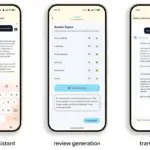
Through a deep dive into the reference travel-planning application, JetPacker, Google illustrates how complex operations—such as logging financial expenses, retrieving dynamic itineraries, and capturing voice notes—can be reduced from multi-tap manual workflows to instant, conversational, background interactions. This article explores the core architecture, developer tooling enhancements, code implementations, and broader strategic implications of bringing Android AppFunctions to the ecosystem.
Detailed Chronology: The Evolution of Android Intelligence and the JetPacker Integration
The transition of the JetPacker application from a traditional utility into an agentic powerhouse did not happen overnight. It represents the culmination of a multi-phase architectural evolution mapped across Google’s ongoing developer series.
Phase 1: Foundation and On-Device Processing
In the preliminary stages of the intelligent apps initiative, the engineering teams established the baseline capabilities of the JetPacker app. Utilizing on-device intelligence via ML Kit’s Generative AI APIs and Gemini Nano, the app initially gained privacy-first capabilities like local audio processing, receipt parsing, and itinerary summarization. This ensured that sensitive data could be analyzed directly on the silicon without risking cloud round-trips for basic localized tasks.
Phase 2: Hybrid and Cloud Reasoning
Moving beyond strictly local heuristics, the architecture expanded to incorporate Firebase AI Logic. This allowed the application to blend on-device efficiency with robust cloud-hosted reasoning, empowering the LLM to ground its outputs in expansive, real-world datasets such as live web context and mapping information.
Phase 3: System-Level Integration via AppFunctions
The most recent architectural leap—the focus of Weiss’s latest dispatch—involves breaking the app boundaries entirely. Traditional AI assistants operate via deep linking or rudimentary intents, often forcing the user into a graphical context switch. AppFunctions change this by establishing a secure pipeline where system-privileged agents can invoke app features natively in the background.

To prove this capability, the engineering team analyzed standard travel-planning pain points to identify tasks where natural language commands yield exponential speed advantages over manual tapping:
- Expense Tracking: Logging an out-of-pocket expense (like a morning coffee in Paris) traditionally requires unlocking the device, locating the JetPacker app, navigating to the active trip, switching to the expenses tab, invoking the addition modal, capturing a photographic receipt, and saving. By implementing
addExpenseandgetExpensesas AppFunctions, a user simply speaks: "Add a five-dollar coffee expense to my Paris trip." The background agent resolves the correct trip identifier and persists the data instantaneously. - Itinerary Management: Reviewing a tightly packed itinerary historically demands manual timeline scrolling. Exposing
getItineraryandaddItineraryEventallows natural language queries such as, "What am I doing next in Paris?" to bypass the UI entirely, delivering immediate auditory or text-based answers. - Voice Note Capturing: Typing out reflections while navigating a busy sidewalk is inherently unsafe. By exposing an
addVoiceNoteAppFunction, users can dictate unstructured observations ("The flight was amazing, I saw a beautiful sunset…"), which the agent transcribes and catalogs directly into the travel database.
Supporting Context & Metrics: The Android MCP Architecture
To fully grasp the technical elegance of AppFunctions, one must examine the underlying mechanics of Android Model Context Protocol (MCP).
In traditional enterprise architectures, MCP connects AI models to external data sources and tools. Google has adapted this philosophy for mobile operating systems, casting the Android platform itself as the central tool registry.
┌────────────────────────────────────────────────────────┐
│                      Agent App                         │
│             (Client-side LLM & Reasoning)              │
└──────────────────────────┬─────────────────────────────┘
                           │ Discovers & Invokes (via Permissions)
                           ▼
┌────────────────────────────────────────────────────────┐
│                    Android Platform                    │
│                (Central Tool Registry)                 │
└──────────────────────────┬─────────────────────────────┘
                           │ Executes via Local IPC / Sandboxing
                           ▼
┌────────────────────────────────────────────────────────┐
│                   JetPacker App Server                 │
│               (@AppFunction Annotations)               │
└────────────────────────────────────────────────────────┘
How the Local MCP Model Operates
- The App as an MCP Server: Your native application exposes structured, annotated tools (AppFunctions) rather than relying on external web hooks.
- The Platform as a Registry: The Android operating system acts as the secure middleman, cataloging available tools and managing access permissions.
- The Agent as a Client: Agent applications, possessing system-privileged permissions, query the platform registry. When a user issues a command, the agent’s internal Large Language Model evaluates whether an AppFunction can fulfill the request, resolves the metadata schema, and executes the function in a secure background sandbox.
This architecture preserves user privacy and developer control. Developers retain granular authority over which features are exposed to system agents, ensuring that sensitive application states remain locked behind internal data access rules.
Streamlining Lifecycle Management with AI-Assisted Tooling
Developing complex system integrations can frequently introduce boilerplate overhead. To mitigate this, Google introduced the AppFunctions development skill. Acting as an automated development companion, this tooling guides engineers through the entire lifecycle:
- Mapping custom Kotlin data classes to serialize parameters accurately.
- Generating necessary
Serviceentry points. - Refining
KDocdocumentation to ensure LLM comprehension of parameter constraints and boundaries. - Automating integration testing pipelines using Android Debug Bridge (ADB) scripts.
Deep Dive: Implementation and Code Architecture
Moving from architectural theory to practical engineering, implementing AppFunctions requires precise configuration, type modeling, and service registration.
1. Configuration and Dependency Setup
To integrate AppFunctions into a modern Android project, developers must incorporate the core API library alongside the Kotlin Symbol Processing (KSP) compiler to handle compile-time schema generation:
implementation("androidx.appfunctions:appfunctions:1.0.0-alpha10")
ksp("androidx.appfunctions:appfunctions-compiler:1.0.0-alpha10")
2. Modeling Custom Data Types
Any custom object transferred between the application and the system-privileged agent must be annotated with @AppFunctionSerializable. In the JetPacker codebase, data structures like trips are explicitly defined to allow the LLM to understand their properties:

@AppFunctionSerializable(isDescribedByKDoc = true)
data class TripSerializable(
    /** The trip's unique identifier. */
    val id: String,
    /** The trip's title. */
    val  String,
    /** The trip's destination location. */
    val location: String,
    /** The trip's start date in milliseconds. */
    val startDate: Long,
    /** The trip's end date in milliseconds. */
    val endDate: Long,
    /** A list of participants. */
    val participants: List<String>,
)
3. Exposing Features with @AppFunction
Business logic is exposed to the intelligence system by annotating suspendable Kotlin functions. Crucially, because AppFunctions may execute on the main thread context by default, developers must explicitly offload blocking database operations to background dispatchers, such as Dispatchers.IO:
/**
 * Looks for trips based on optional filters like id, title (name), location, and dates.
 *
 * @param id The unique identifier of the trip.
 * @param title The title or name of the trip.
 * @param location The destination location.
 * @param startDate The minimum start date in milliseconds.
 * @param endDate The maximum end date in milliseconds.
 * @return A list of trips matching the filters.
 */
@AppFunction(isDescribedByKDoc = true)
suspend fun searchTrip(
    id: String? = null,
     String? = null,
    location: String? = null,
    startDate: Long? = null,
    endDate: Long? = null
): List<TripSerializable>
    return withContext(Dispatchers.IO)
        // Underlying Room database or repository query implementation
        tripDao.queryTrips(id, title, location, startDate, endDate)
Note on Documentation: As demonstrated above, writing precise, imperative KDoc comments is no longer just a code-hygiene practice; it is a compiled API asset. The LLM relies directly on these descriptions to resolve parameters and mitigate runtime execution errors.
4. Service Entry Point and Dependency Injection
To hook these functions into the Android operating system, developers establish an abstract base class extending AppFunctionService, integrating Dependency Injection frameworks like Hilt:
@RequiresApi(36)
@AndroidEntryPoint
@AppFunctionServiceEntryPoint(
    serviceName = "JetPackerAppFunctionService",
    appFunctionXmlFileName = "jetpacker_app_function_service"
)
abstract class BaseJetPackerAppFunctionService : AppFunctionService()
    @Inject internal lateinit var tripDao: TripDao
During compilation, KSP parses these annotations to automatically generate the concrete subclass (JetPackerAppFunctionService), which is subsequently referenced within the application manifest alongside its global metadata XML rules.
Official Statements and Developer Guidance
Reflecting on the philosophical shift required by this architecture, Ben Weiss emphasizes that developers must rethink how they conceptualize app features:
"When thinking about app features that can be contributed to the intelligence system using AppFunctions, it requires a slight shift in how we think about code and documentation. AppFunctions enable you to use this new interaction model for apps, which allows using an agent to access app features… KDoc comments are a compiled API asset; clear parameter descriptions directly impact the execution accuracy of the system agent."
Google’s engineering roadmap stresses three core takeaways for mobile developers entering the agentic era:
- Tooling is Critical: The AppFunctions development skill serves as an indispensable lifecycle companion, accelerating implementation and schema validation.
- Documentation is Code: High-fidelity KDoc annotations dictate runtime LLM precision. Vague parameter names or missing descriptions will result in failed tool invocation loops.
- Local-First Security: Android MCP ensures that applications maintain absolute authority over their data boundaries while participating in collaborative, agent-driven workflows.
Verifying and Testing AppFunction Deployments
Ensuring that system agents can reliably discover and execute AppFunctions requires specialized testing methodologies. Developers running devices or emulators operating on Android 17 or newer have access to robust ADB command-line utilities.

To inspect registered capabilities across package structures, engineers can execute:
adb shell cmd app_function list-app-functionsTo test execution paths and verify database integration without launching a conversational UI, raw JSON parameter payloads can be dispatched directly via:
adb shell cmd app_function execute-app-function --package <pkg_name> --function <func_name> --params '<json_string>'Alternatively, developers can utilize the dedicated AppFunctions Testing Agent repository to inspect configurations, execute functions interactively, and observe how tool definitions behave within live conversational flows.
Future Outlook
The introduction of Android AppFunctions and the local MCP architecture marks a definitive turning point for mobile software engineering. As operating systems evolve from static launchers into proactive, agent-driven environments, applications that fail to expose programmatic entry points risk becoming isolated silos.
With upcoming entries in Google’s blog series promising deep dives into in-app agentic workflows—including end-to-end booking assistants powered by A2UI (Agent-to-User Interface) and ADK—the boundaries between applications will continue to dissolve. Developers who embrace semantic code annotation, rigorous KDoc documentation, and secure background tool exposure today will define the next generation of ambient, intelligent mobile experiences.